Hvitarnes
Overview
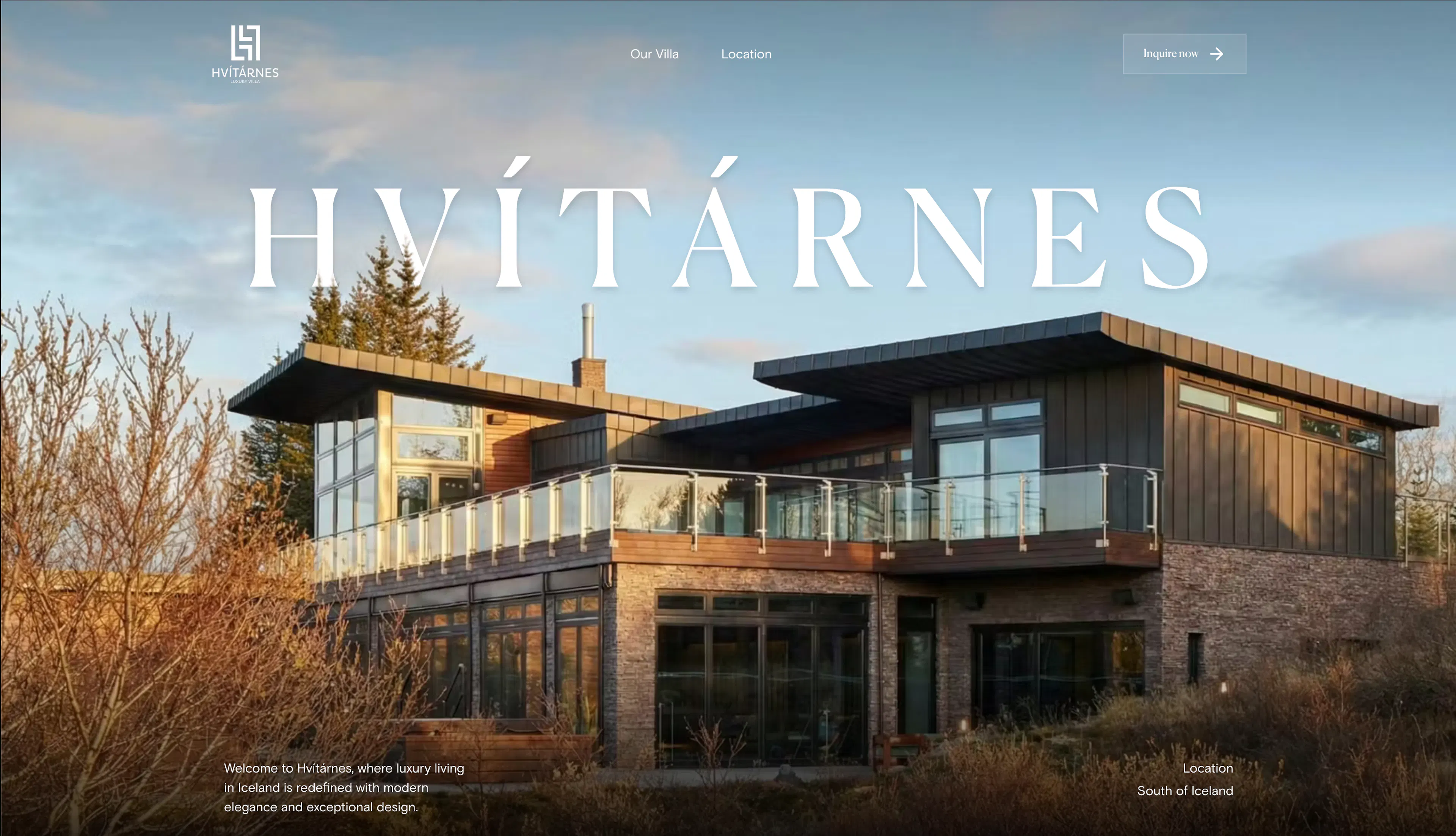
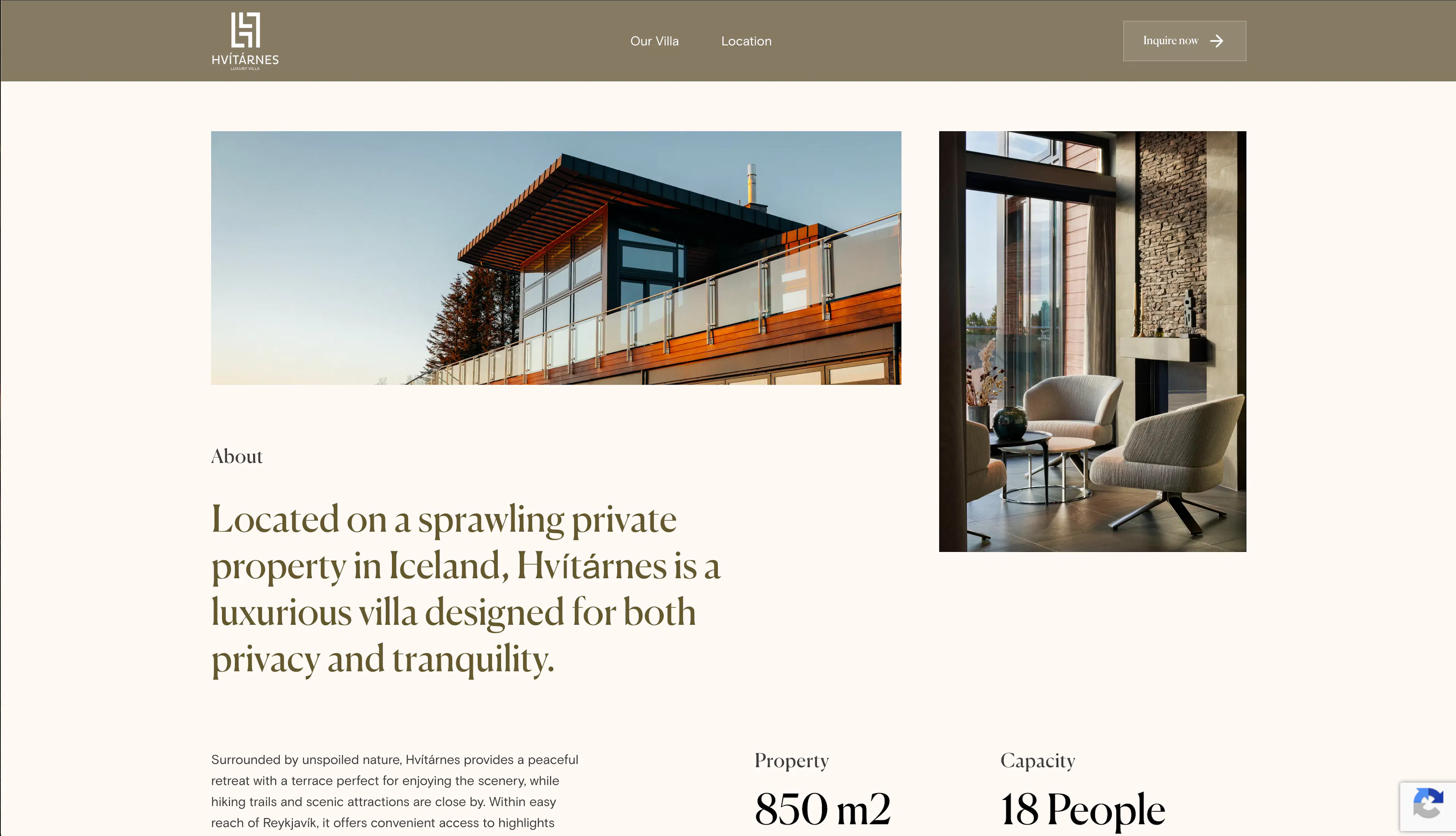
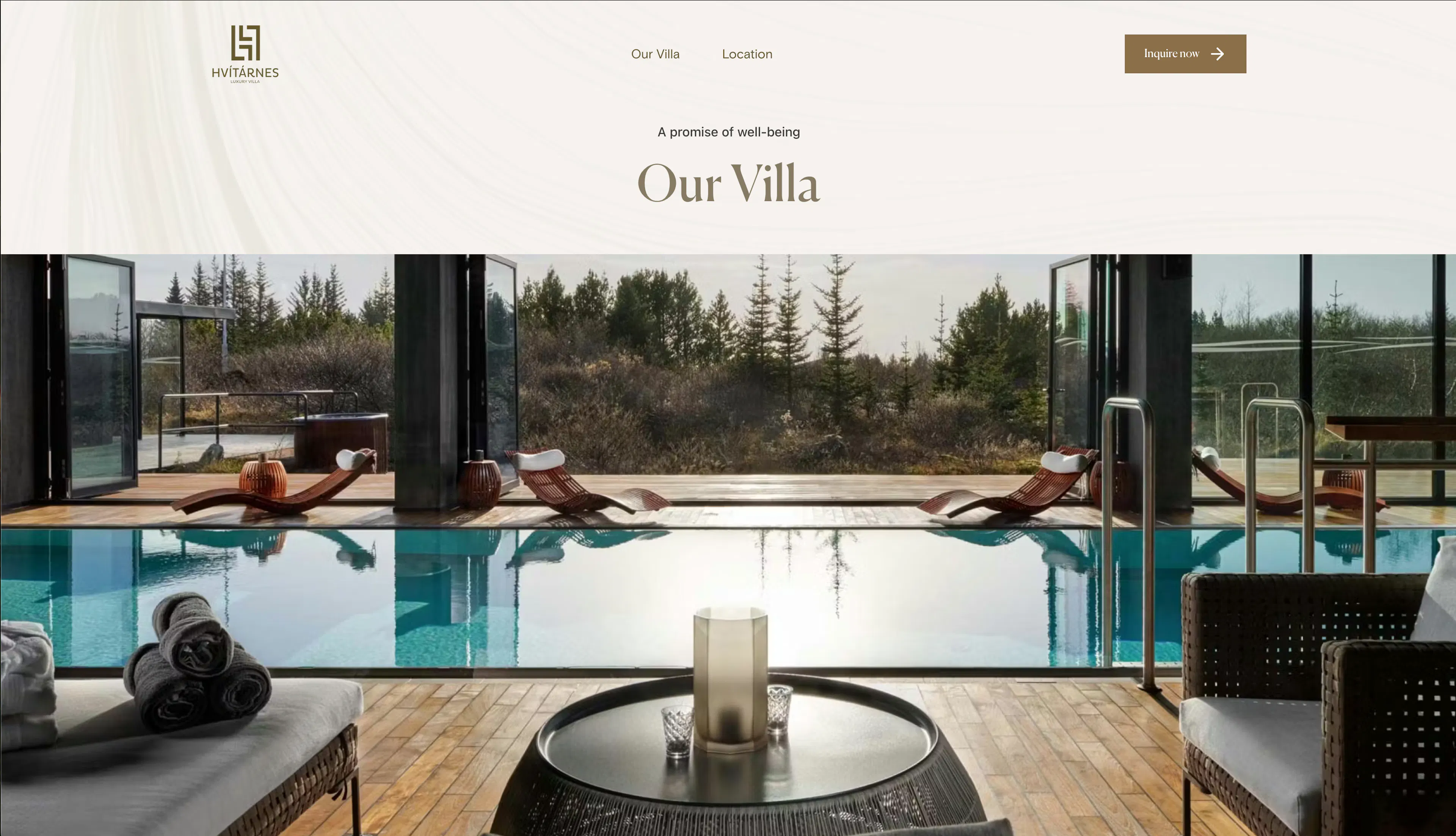
Hvitarnes is the marketing website for Hvitarnes, an Icelandic country villa. It presents the property through an editorial, image-led design — a full-bleed parallax hero, galleries, video, and staggered image-and-text sections — built to sell the location to prospective guests.
The entire site is content-driven by Prismic. Two custom types (page and layout) and a 22-slice library let the marketing team compose pages without touching code, while SEO metadata and structured data ship with every page.
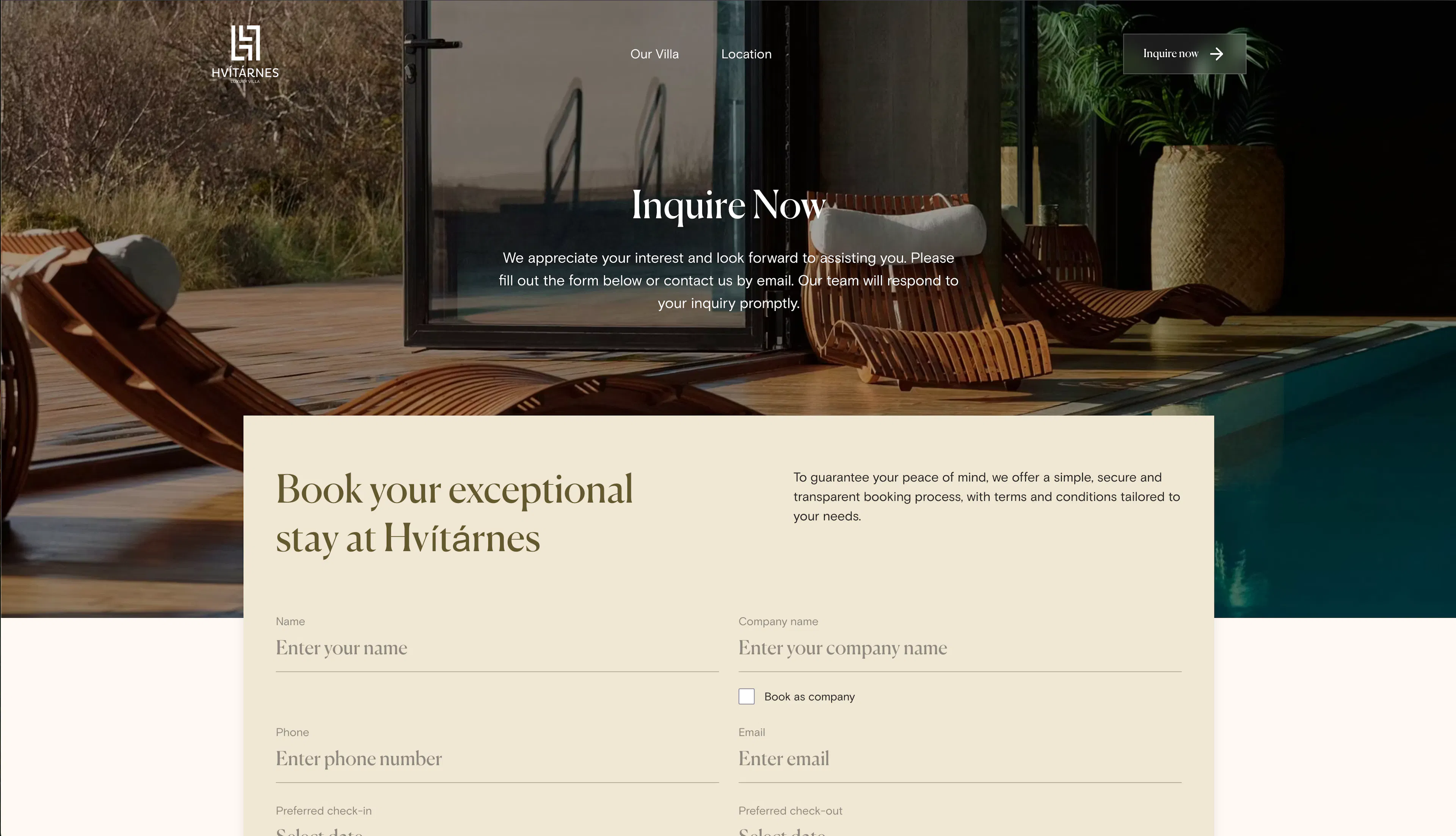
There is no backend or database. The one interactive form (the Contact slice) is a client-side component whose submission currently only flips to a success state locally — the marketing content and animations are the core of the deliverable.
Tech Stack & Rationale
Layer | Technology | Why |
|---|---|---|
Framework | Next.js 16 (App Router), React 19 | Server-first rendering with a dynamic [[...slug]] route |
Language | TypeScript | Strict typing for Prismic documents and slices |
Styling | Tailwind CSS 4 | Utility-first styling with a project theme |
CMS | Prismic + Slice Machine | All page and layout content, versioned locally |
Animation | Framer Motion 12 | Reveal and parallax animations across slices |
Carousel | Embla Carousel React | Hero and gallery carousels |
Lightbox | yet-another-react-lightbox | Full-size image preview in galleries |
Structured data | schema-dts | JSON-LD typing for SEO |
Code hygiene | knip | Dead-code and unused-export detection |
Architecture
Every page is a Prismic page document rendered through the catch-all route, composed from slices and wrapped in a layout document that supplies the navbar and footer. Slices are server-rendered by default, with only interactive pieces (Contact form, galleries, hero parallax) marked "use client".
The flow runs: Browser request → [[...slug]]/page.tsx (tag-cached Prismic fetch) → SliceZone (dynamic slice map) → client slices (hero · gallery · contact) → static output (ISR + revalidate). The page's linked layout document supplies the navbar, children, and footer from the same Prismic API.
- Routing — the (prismic)/[[...slug]] catch-all renders any UID as a page document; the root page.tsx resolves the homepage the same way.
- Fetching — src/shared/config/prismicio.ts creates a Prismic client with a production tag cache (prismic, redirects) and 5-second revalidation in development.
- Composition — the page's slice zone is mapped through the generated slices/index.ts component registry, and the linked layout document supplies the navbar/children/footer chrome.
- Interactivity — only the Contact form, Hero (parallax), Gallery (lightbox), and carousel slices hydrate on the client; everything else stays a server component.
- SEO — src/shared/utils/generateMetaData.ts builds metadata from the Prismic "SEO & Metadata" tab, and pages emit JSON-LD structured data via schema-dts.
Folder Structure
hvitarnes/
├── app/
│   ├── (routes)/(prismic)/[[...slug]]/   # catch-all page renderer
│   ├── (routes)/not-found.tsx
│   ├── api/                              # preview · revalidate · exit-preview
│   └── layout.tsx · globals.css · slice-simulator/
├── src/
│   ├── components/features/Hero/         # HeroBackground, HeroTitle, HeroMainImage, HeroBottomContent
│   ├── components/ui/icons/              # ArrowIcon, CheckmarkIcon, PinIcon
│   ├── shared/config/prismicio.ts
│   ├── shared/constants/                 # parallax, spacing
│   ├── shared/hooks/                     # useParallaxScroll, useImageHeight, useResize, useScrollPosition
│   ├── shared/types/ · shared/utils/     # prismic.types, generateMetaData
├── slices/                               # 22 slices (Hero, Gallery, Contact, StaggeredImagesWithText, …)
├── customtypes/                          # page, layout
├── public/                               # static assets
├── prismicio-types.d.ts · slicemachine.config.json · next.config.ts
└── tailwind/ · tsconfig.json · package.json
Content Model
Prismic is the sole content source, with two custom types:
Custom type | Kind | Purpose |
|---|---|---|
page | Repeatable | Marketing pages — uid, a layout link, a route text field, a 19-choice slice zone, and SEO metadata |
layout | Repeatable | Site chrome — a slice zone of navbar, children, and footer slices linked from each page |
The page slice zone exposes the full marketing library: hero, banner, gallery, video, contact, card_grid, quote, paragraph, text_with_image, image_with_icon_list, image_data_overlay, intro_three_column_grid, split_intro_grid, split_list, staggered_grid, staggered_images_with_text, text_column, document_header, and floating_badge_section.
Impact & Results
- In production as the marketing site for Hvitarnes country villa (Iceland), driven entirely by editors through Prismic.
My Contributions
Built the Hvitarnes site from scratch as the lead frontend developer:
- I initialized the project and set up Prismic + Slice Machine with the page/layout custom types and slice zone.
- I built the slice library (22 slices), including the Hero with parallax scroll, the Gallery with lightbox preview, and the StaggeredImagesWithText and SplitIntroGrid layouts.
- I added Framer Motion reveal animations across the slice components and layouts.
- I built the mobile versions of the hero, navbar, footer, and staggered slices to match the desktop design.
- I standardized container spacing with a reusable padding/margin field and spacing constants.
- I upgraded Next.js to 16.0.10 to fix CVE-2025-55183 and cleaned up ESLint errors.
References
[1] Hvitarnes, "Hvitarnes," hvitarnes.is. [Online]. Available: https://hvitarnes.is
[2] Vercel, "Next.js Documentation," nextjs.org. [Online]. Available: https://nextjs.org/docs
[3] Prismic, "Prismic Documentation," prismic.io. [Online]. Available: https://prismic.io/docs
[4] Framer Motion, "Motion Documentation," motion.dev. [Online]. Available: https://motion.dev/docs
[5] Tailwind CSS, "Tailwind CSS Documentation," tailwindcss.com. [Online]. Available: https://tailwindcss.com/docs
Comments
Leave a Comment
You must be signed in to comment
0 Comments
No comments yet. Be the first to comment!